

Making a Credit Note/Refund
On this page:
- How to Credit an Invoice
- How to make a Manual Refund
How to Credit an Invoice
First go to Sales > Invoices.
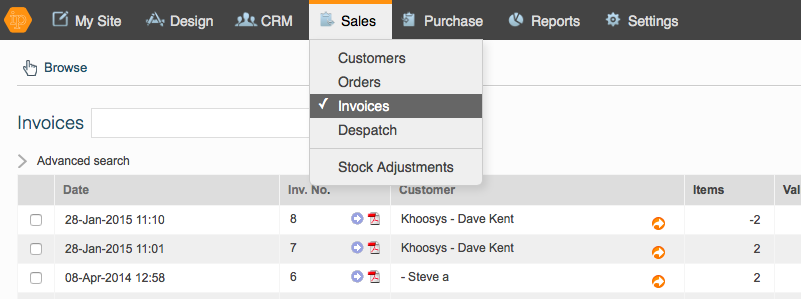
Then click on the invoice that needs to be credited, and it will highlight in pale orange.
Then click on "Credit Items", which can be found either in the box below, or by clicking on the 3 dots in the right hand nav and choosing Credit Items from the drop down.


This screen will now appear:
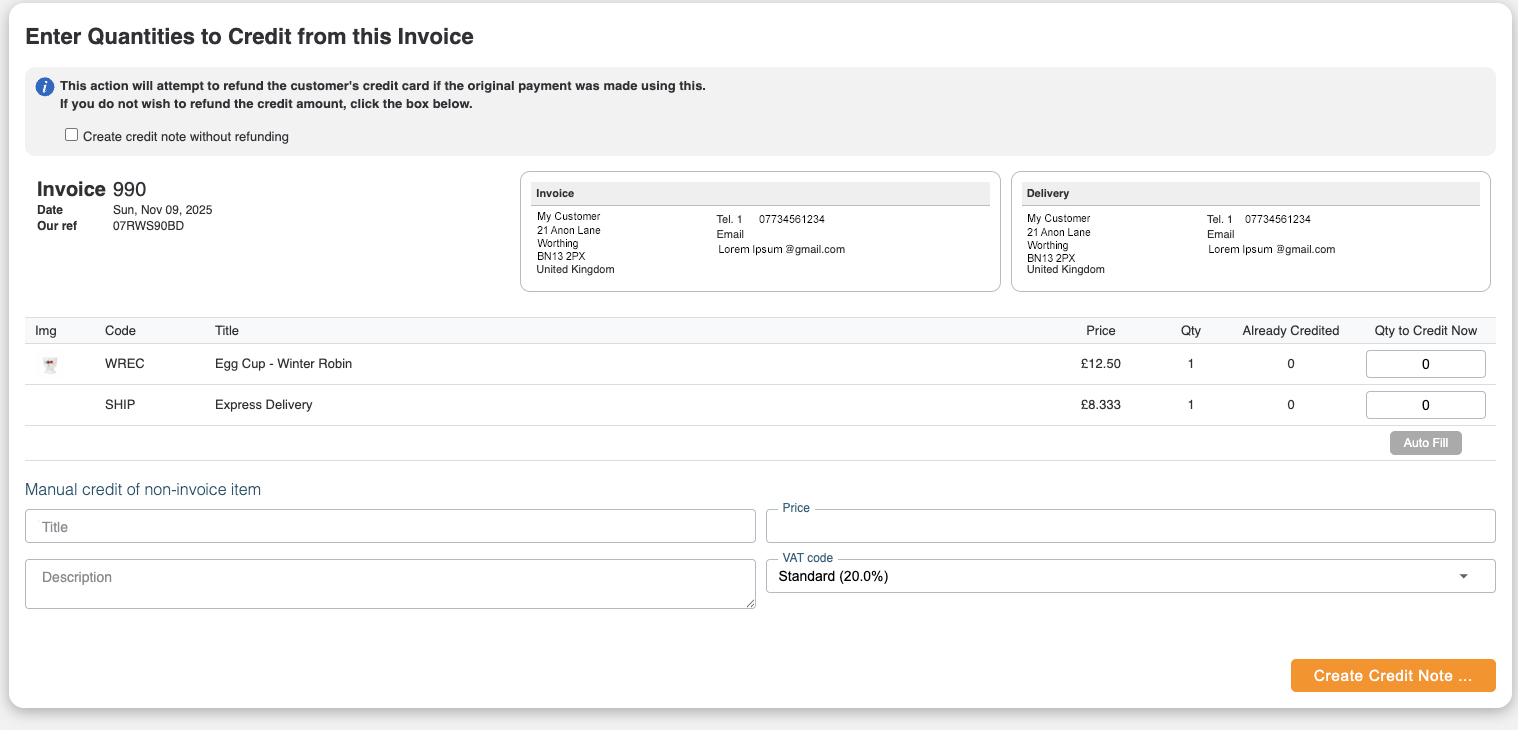
Fill in the number that you wish to credit beside each item in the box Qty to Credit Now.
If you wish to create a credit note without issuing a refund tick the box.
Click Create Credit.
Manual Credit of Non-Invoice Item
This field is only to be used if you wish to credit your customer because of a problem with delivery, or because they have been overcharged. Only use this if you know what you are doing! You put the amount in without the pound sign.
Manual credit of non-invoice items have to be refunded manually.
Refunds
Stripe
If you use Stripe then the money will be automatically refunded to your customer if you haven't ticked the "do not refund the credit amount box."
If you have made a Manual credit then you will need to manually refund the money in your Customer's account.
PayPal
If you use PayPal then you will have to manually refund the payment in PayPal. Then to ensure that the account is reconciled you will need to make an offline refund for that customer referencing the Credited Invoice. Copy the Credit Invoice's reference number.
To do this click on the Orange Arrow beside the Customer's name. Then click on the Customer box under the table and this will take you to their Customer Account screen.
Select Payment box for that customer.

A dialogue box "Take a Customer Payment will appear. Complete the box choosing Offline Refund, putting in the Credit Note's reference number, completing the amount, and choosing the method by which the refund has been made. Then click OK.
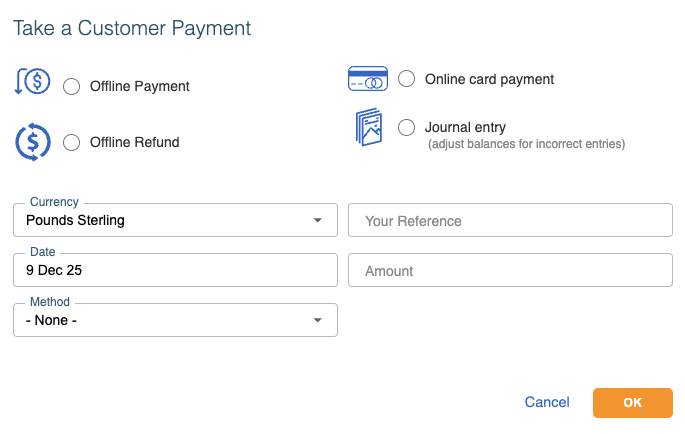
Then click on "Ok". You can then allocate the credit note against the manual refund in Allocation