

Email Templates
Email templates are very useful for pre-configured emails that you want to send to customers. This can include information about their order, account, delivery options or more.
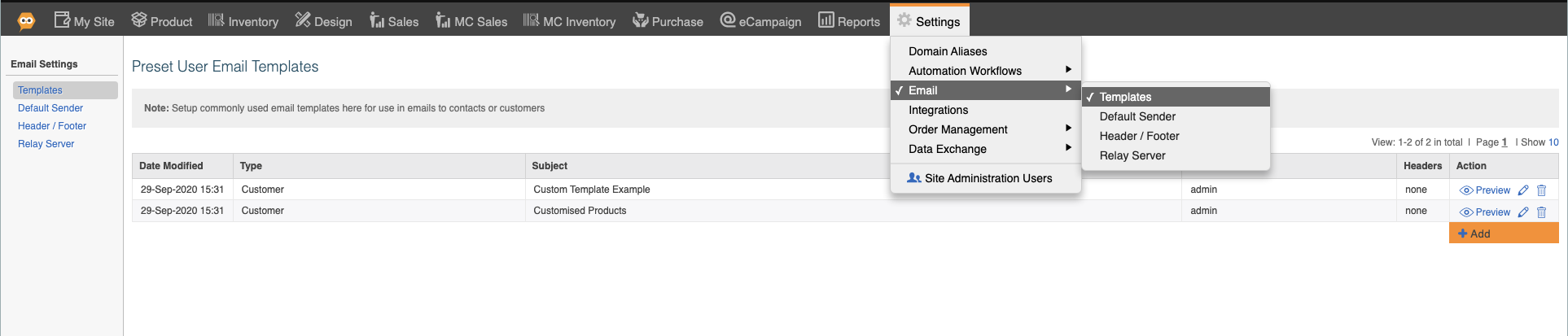
1. Navigate to Settings - Email - Templates
Click "Add" to make a new template.
2. Templates have a type:
- Customer - relating to their customer details
- Order - relating to order details, such as order ref, delivery date, etc.
- Invoice - relating to their invoice, such as invoice ref, amount, invoice pdf, etc.
- Shopping Cart - relating to their cart, such as cart contents, cart amount, a button to buy, etc.
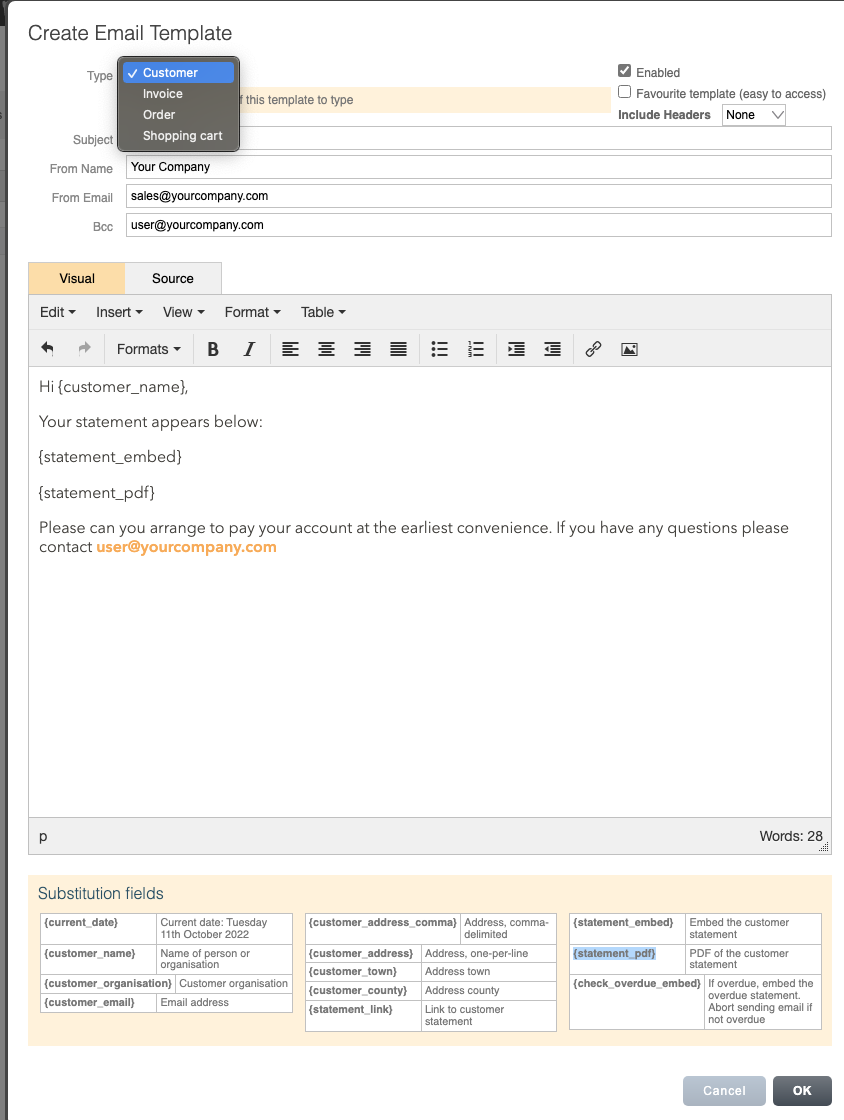
3. Fill out the subject, From name, From Email and any BCC.
4. You can use the body to write the email, and pre-fill with a variety of fields from the area below. The fields vary depending on the type you choose.
5. You can use these emails depending on their type.
- Customer email templates -> From the Sales-> Customer-> Email Action
- Order email templates -> From Sales -> Orders -> Email Action
- Invoice -> From Sales-> Invoices -> Email Action
- Shopping Cart -> From Reports - Sales Activity - Sales Reports - Live shopping carts -> Email Action