

Alias
On this page:
Creating an Alias
To create an alias go to My Site > Pages.
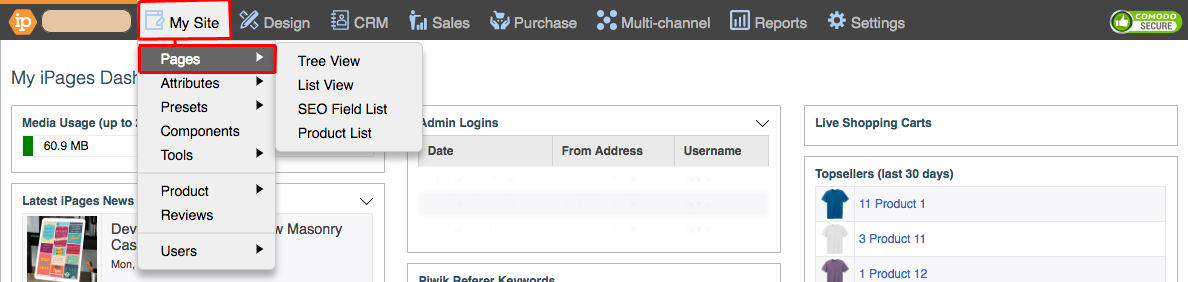
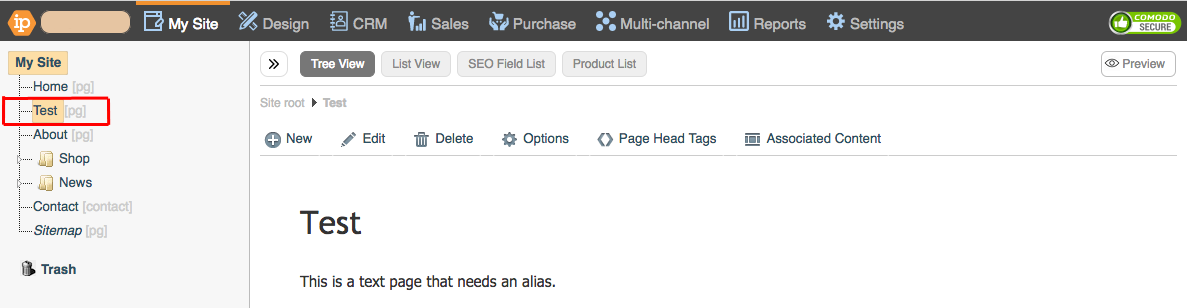
Click on the Page that you want to create an Alias for.
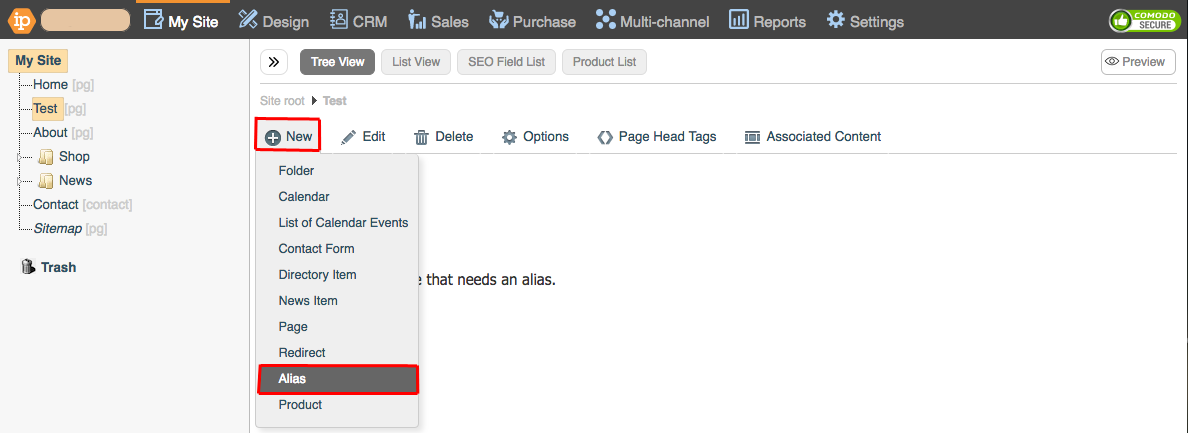
Go to +New > Alias.
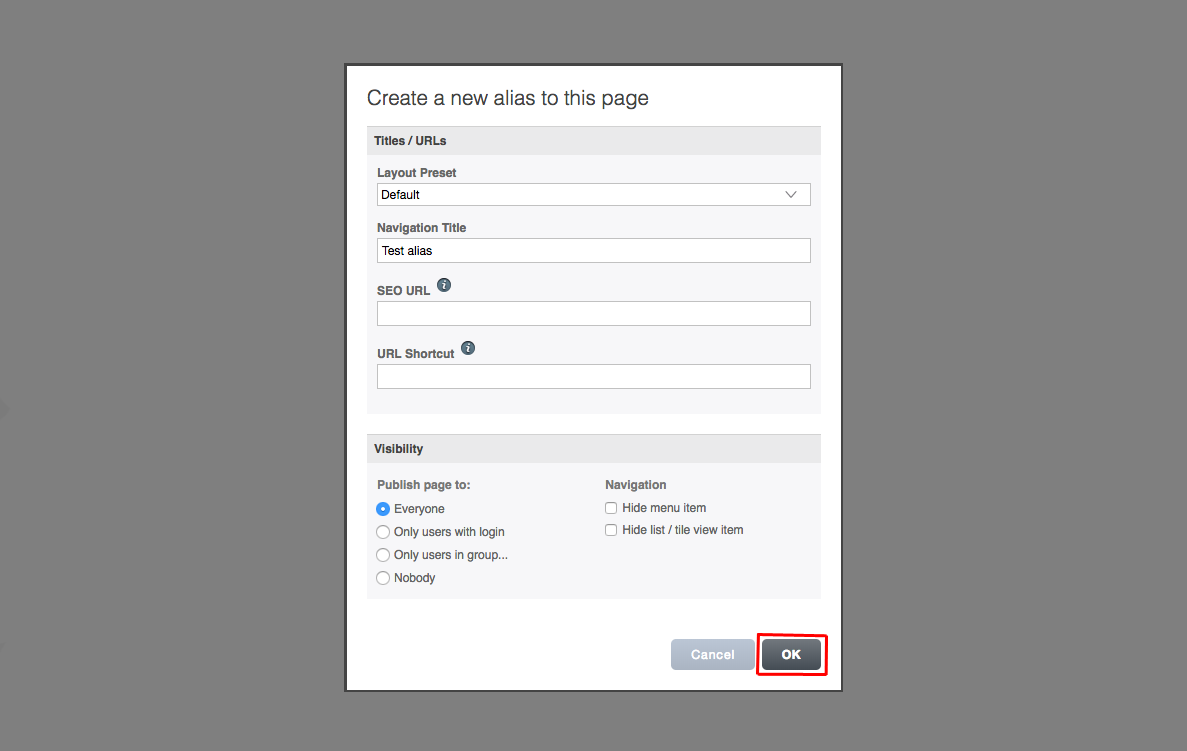
Fill in the details and click OK.
Searching for an Alias
Sometimes it can be difficult to find you Alias pages if you have a larger website with a lot of pages. This is how you can use an Advanced Search to find them easily.
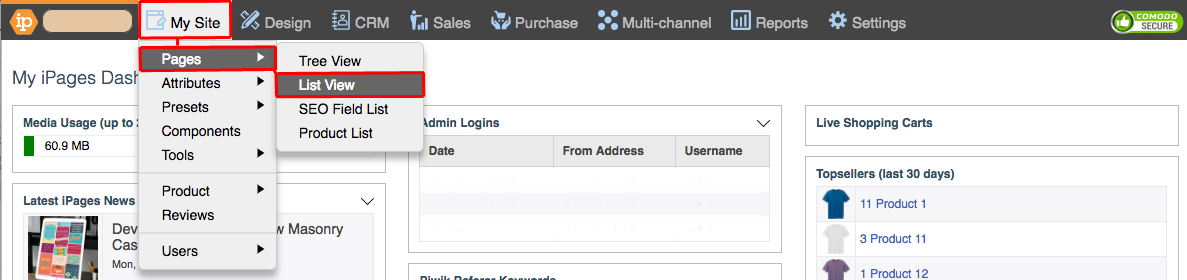
Go to My Site > Pages > List View.
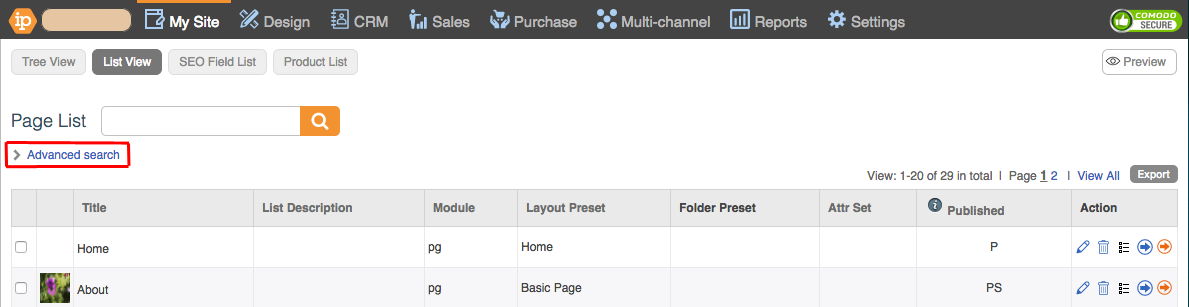
Click Advanced Search.
Select Alias from the Module drop-down.
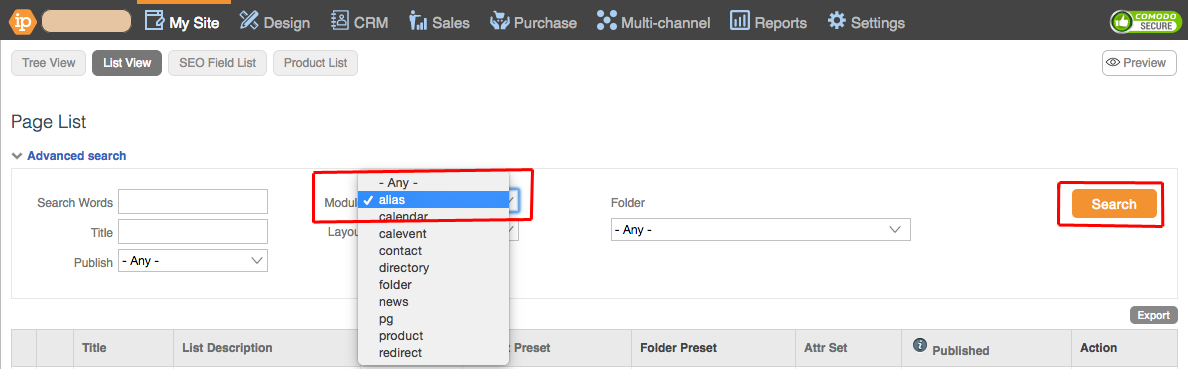
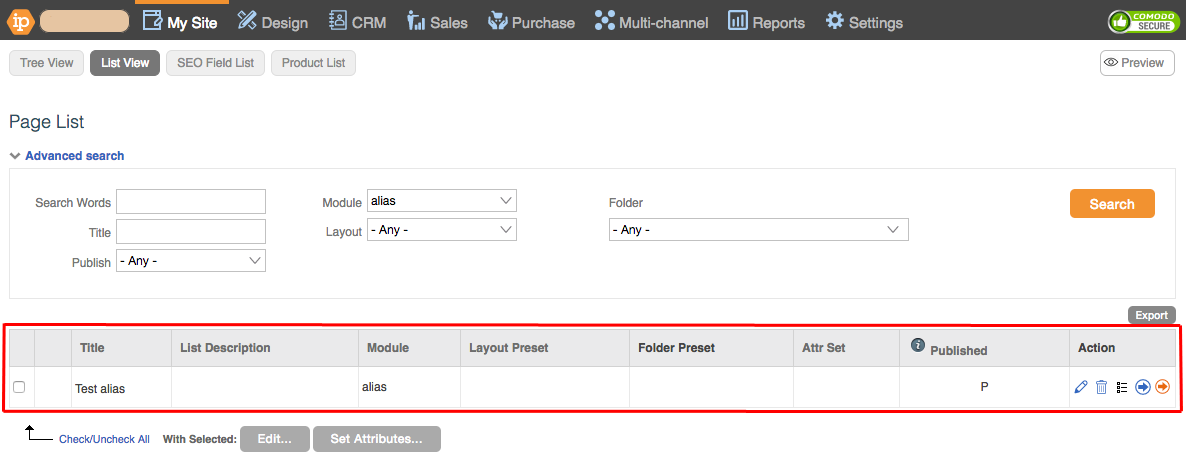
Click Search.
Deleting an Alias
This is how you can delete an Alias.
Go to My Site > Pages.
Select the Alias that you want to delete.
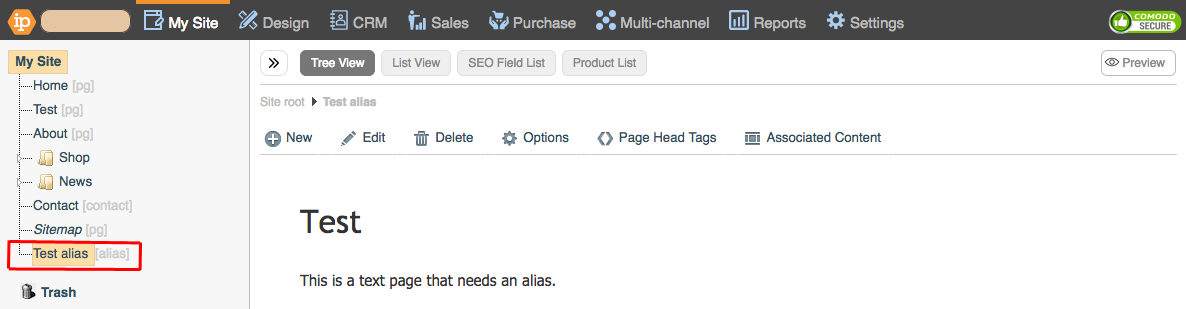
Right Click the Alias and Click Delete...

Click OK.
