

Stock Parameters
Parameters define stock levels that trigger outputs.
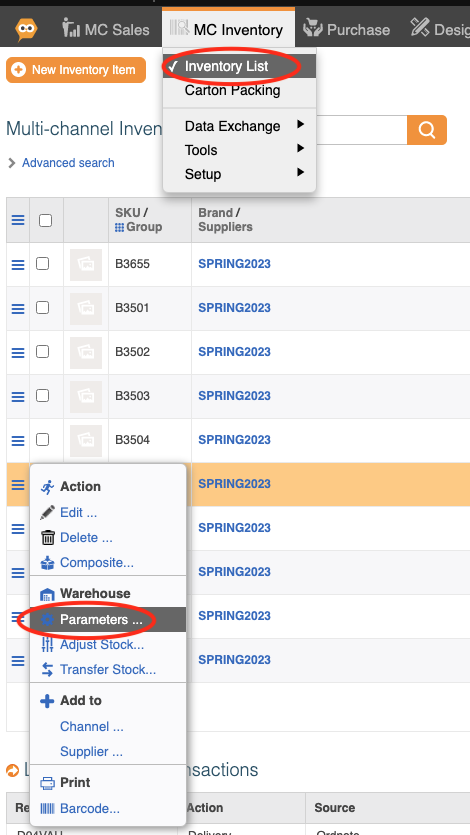
1) Navigate to MC Inventory - Inventory list - and click parameters
Low Stock quantity: The quantity at which the item will display "low stock".
Low On-Order Quantity: The threshold amount on order that indicates a low resupply.
Lead Time from Order: Lead time in days for On order items to arrive
Min. Stock Level: The effective minimum that will impact stock allocation.
Reorder level: The minimum amount that will be re-ordered from a supplier on a re-stock.

You should ensure you configure your sales channel policy (Inventory ->Channel Sales Policy) to reflect these messages and accurately inform customers of stock status.