

Allocation Rules
If you have stock in multiple locations, use Allocation rules to decide which locations get chosen first.
1) Navigate to MC Inventory - Setup - Warehouses.
You may want to setup a new Zone if you allocate by zone. 
2) Click on Allocation Rules and Add
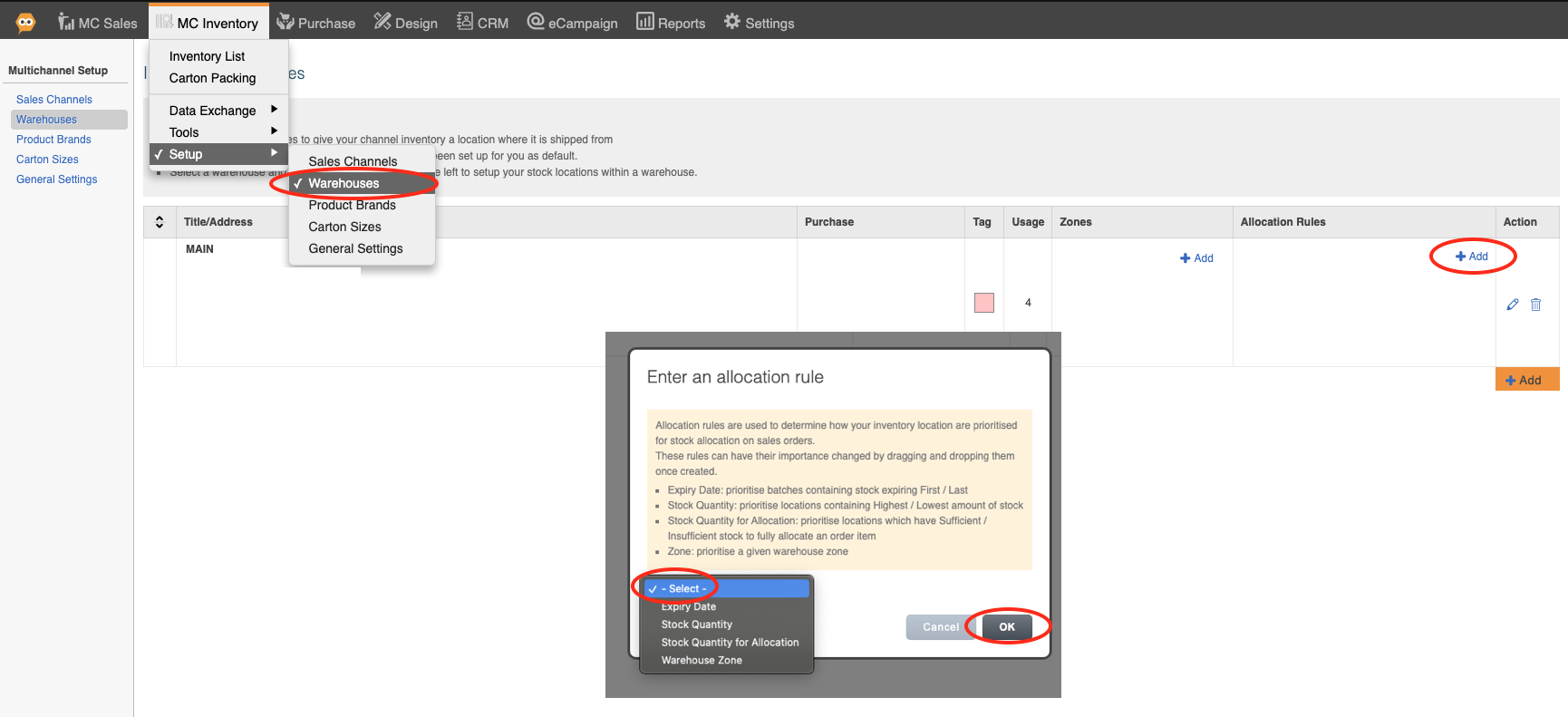
Expiry Date: Soonest or Last
Stock Quantity: Highest or Lowest
Stock Quantity for Allocation: Sufficient or Insufficient.
Example: If 10 units are on an order, and there are two locations with 8 units and 20 units, "sufficient" would preserve the allocation to one bin only (the one with 20), while "insufficient" would allow splitting 8 units to one and 2 units to the other location.
Warehouse Zone: Choose Zone.